
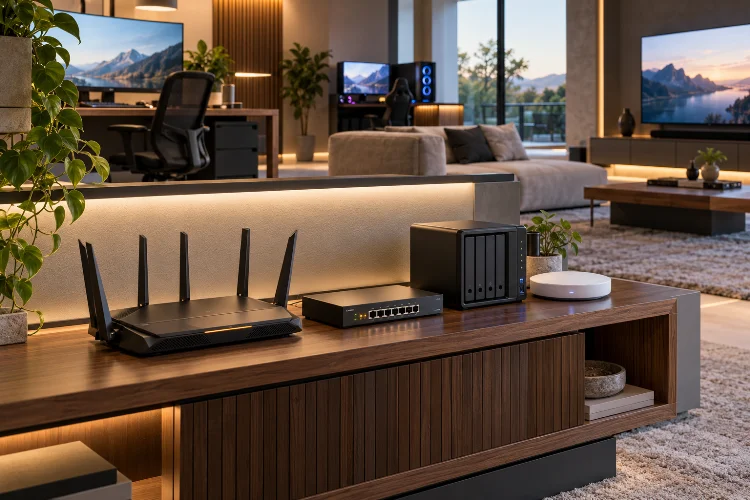
A fast internet plan does not automatically create a fast home network. You can pay for multi-gigabit broadband and still experience unstable video calls, slow NAS transfers, gaming latency, or weak Wi-Fi in certain rooms.
The real difference often comes from how the network gear is designed and connected.
Advanced network gear strategies for high-performance home systems focus on more than buying the most expensive router available.
Router processing power, Ethernet speeds, access-point placement, wireless backhaul, congestion management, network segmentation, and cabling all influence how efficiently data moves around the house.
Modern homes also place much heavier demands on networking equipment than they did a decade ago. A single household might simultaneously run 4K streaming, cloud backups, gaming PCs, security cameras, smart-home devices, workstations, and local network storage.
The best setup therefore treats the network as a complete system. Instead of chasing maximum advertised Wi-Fi speeds, the goal is to build a stable architecture where wired and wireless components work together without creating unnecessary bottlenecks.
Build the Wired Backbone Before Optimising Wi-Fi
Wi-Fi receives most of the attention in home networking, but a strong wired backbone usually creates the biggest improvement in a demanding setup.
Desktop PCs, NAS systems, media servers, gaming consoles, access points, and workstations can often benefit from Ethernet because wired connections provide predictable bandwidth without competing for wireless airtime.
Gigabit Ethernet is still perfectly adequate for many homes, but higher-performance networks are increasingly moving toward 2.5GbE.
Multi-gig Ethernet can support 2.5Gbps and 5Gbps links while remaining compatible with lower Ethernet speeds. NETGEAR notes that 2.5GbE can also operate over existing Cat5e and Cat6 cabling in supported environments, making it a practical upgrade without necessarily rewiring the entire house.
This becomes particularly useful when multiple devices access a NAS.
For example, a single 1GbE connection can become a bottleneck if several users are editing large media files or performing backups simultaneously. A 2.5GbE or 10GbE backbone creates much more headroom.
You do not need 10GbE everywhere. Use faster links where large amounts of local data actually move.
Use Wi-Fi 7 Where Its Features Solve a Real Problem
Wi-Fi 7 offers substantial technical improvements, but upgrading simply because the number is higher may not produce dramatic benefits for every household.
Wi-Fi CERTIFIED 7 introduces technologies such as 320MHz channels, Multi-Link Operation, and 4K QAM. Wi-Fi Alliance states that Multi-Link Operation can allow compatible devices to use multiple wireless links to increase throughput, lower latency, and improve reliabilty.
The important word is compatible.
Both the router and client device need to support the relevant feature. A premium Wi-Fi 7 router cannot give an older Wi-Fi 6 laptop access to features its wireless adapter does not understand.
The wider 320MHz channels are also linked to 6GHz spectrum availability, meaning regulatory support and client capability matter.
For a high-performance home, Wi-Fi 7 makes the most sense when several modern laptops, phones, workstations, AR devices, or other bandwidth-heavy clients are already present.
Otherwise, a well-positioned Wi-Fi 6 or Wi-Fi 6E system may still provide excellent real-world performace.
Prefer Ethernet Backhaul for Mesh Systems
Mesh networking is useful for large houses, but the way mesh nodes communicate can dramatically affect performance.
A wireless mesh satellite must usually communicate with both client devices and the main router. When that backhaul shares wireless resources, available capacity can become more limited, particularly under heavy traffic.
Ethernet backhaul changes the situation.
Instead of using Wi-Fi to move traffic between mesh nodes, each access point connects through the wired network. TP-Link describes Ethernet backhaul as providing a faster and more stable connection between compatible EasyMesh nodes compared with relying entirely on wireless backhaul.
For demanding homes, this can be one of the most valuable upgrades available.
Imagine a two-storey home with a main router downstairs and another access point upstairs. Running Ethernet between them means the upstairs unit can concentrate its wireless capacity on nearby clients rather than spending part of that capacity relaying traffic back to the router.
Wireless backhaul is still useful when running cables is impossible.
But when Ethernet is available, wired backhaul usually creates a cleaner and more consistant network architecture.
Access-Point Placement Matters More Than Maximum Transmit Power
A powerful router placed in the wrong location can perform worse than several modest access points positioned intelligently.
Wi-Fi signals lose strength as they pass through walls, floors, furniture, and other materials. Interference from neighbouring networks and nearby wireless equipment can create additional problems.
Simply increasing transmit power does not solve everything.
The client device also has to transmit data back to the access point. A powerful router may reach a phone at long distance, while the phone’s weaker radio struggles to respond effectively.
Cisco’s wireless design guidance emphasises AP positioning, channel planning, interference testing, and proper spacing rather than simply maximising radio power.
For a large home, several well-positioned access points are often better than one extremely powerful router.
Place access points in open locations near the areas where users actually need coverage. Avoid hiding them inside cabinets or placing them directly behind large metal objects.
After installation, test actual signal quality and throughput rather than assuming that theoretical coverage maps perfectly match your building.
Upgrade Switches Based on Traffic, Not Port Count
A network switch may look like a simple box of Ethernet ports, but advanced home systems benefit from choosing switches based on speed, management features, and traffic patterns.
For basic connectivity, an unmanaged Gigabit switch may be enough.
A home with multi-gig internet, a NAS, Wi-Fi 7 access points, and high-end workstations may instead benefit from 2.5GbE access ports with a faster 10GbE uplink.
The Ethernet Alliance notes that 2.5GBASE-T and 5GBASE-T are increasingly important because they provide a practical middle ground between traditional Gigabit Ethernet and 10GbE.
This matters because the switch fabric can become a hidden bottleneck.
Suppose three 2.5GbE clients are simultaneously accessing a NAS through a single 1GbE uplink. The devices have fast local connections, but all their traffic eventually collides with that slower link.
Good design therefore looks at the entire data path.
The speed printed beside each individual port is less important than whether the links between routers, switches, servers, and access points have enough capacity for simultaneous traffic.
Use VLANs to Separate Smart Devices From Trusted Systems
A high-performance home network is often also a complicated network.
Smart TVs, cameras, speakers, thermostats, appliances, gaming devices, laptops, NAS systems, and work computers may all share the same infrastructure.
Putting every device on one unrestricted local network is easy, but segmentation offers better control.
VLANs allow a managed switch or router to divide one physical network into several logical networks. Cisco explains that VLAN segmentation can isolate groups of devices, reduce unnecessary broadcast traffic, and improve manageability and security.
For example, IoT devices could live on one VLAN, personal computers on another, and security cameras on a third.
Firewall rules can then decide which groups are allowed to communicate.
Your smart light bulbs probably do not need unrestricted access to the computer storing personal files. Similarly, cameras may need access to a recording server but not every laptop in the house.
Segmentation adds configuration complexity, so it should be implemented carefully. Still, for advanced home systems, VLANs provide a much cleaner structure than treating every connected device as equally trusted.
Manage Latency With SQM Instead of Chasing Maximum Throughput
Raw bandwidth is only one measure of network quality.
A 1Gbps connection can still feel terrible during heavy uploads if packet queues become excessively full. The result is often increased latency, commonly described as bufferbloat.
This can affect gaming, voice calls, remote work, and video conferencing even when speed tests show excellent bandwidth.
OpenWrt’s Smart Queue Management system is designed specifically to address this problem. It combines traffic shaping, packet scheduling, and active queue management to control latency when the internet connection is heavily loaded.
The trade-off is interesting.
SQM may intentionally limit peak throughput slightly so that the router, rather than the ISP or modem, controls the queue. That can result in a network that benchmarks marginally slower but feels considerably more responsive.
For users regularly gaming while other household members upload backups or stream video, this can be far more valuable than an extra few percent of headline speed.
Router processing power matters, however. OpenWrt notes that SQM is CPU-dependent, so weaker routers may not be able to shape extremely fast connections effeciently.
Plan for Redundancy and Future Expansion
High-performance networks become easier to manage when expansion is considered from the beginning.
Leave spare switch ports, run additional Ethernet cables where practical, and consider where future access points, cameras, servers, or workstations might be installed.
Structured cabling is especially useful because changing a switch is much easier than reopening walls.
It is also worth avoiding a single point of failure where possible.
A router failure may always interrupt internet access, but local infrastructure can still be designed sensibly. Important devices such as NAS units, routers, switches, and access points can benefit from a UPS so short power interruptions do not immediately take the entire network offline.
Advanced users may also consider dual-WAN routers or cellular failover when internet availability is critical for remote work.
Do not build complexity simply for the sake of it, though.
A reliable network with one good router, one managed switch, and two wired access points can be better than an unnecessarily complicated rack full of equipment.
The best system is the simplest architecture that meets your current needs while leaving sensible room for growth.
Building a high-performance home network requires more than buying a flagship wireless router. Wired backbones, multi-gig Ethernet, smart access-point placement, Ethernet mesh backhaul, managed switches, VLANs, and effective congestion control all shape real-world results.
The most important strategy is to remove bottlenecks in the right order. Start with the physical network, connect high-bandwidth devices by Ethernet where practical, and then optimise wireless coverage around actual usage areas.
After that, examine latency, segmentation, and future capacity rather than chasing theoretical speed numbers.
A well-designed network should feel almost invisible: fast transfers, stable video calls, responsive gaming, and reliable smart devices without constant troubleshooting. Build around real traffic patterns, measure results, and upgrade only the components that are actually limiting performance.