
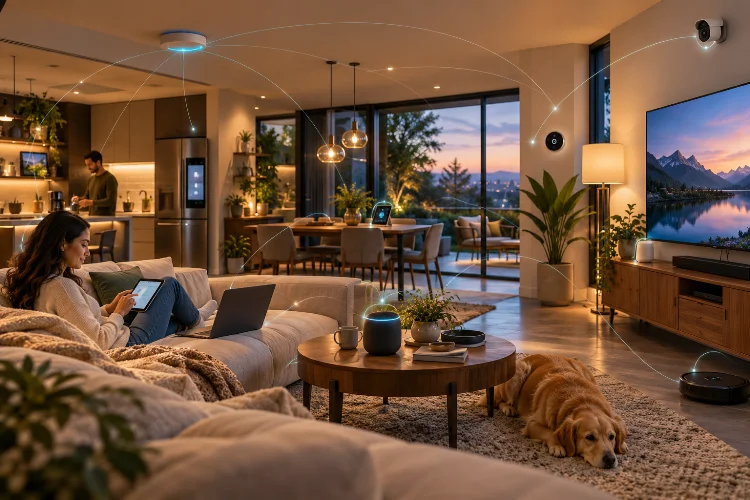
A modern smart home can easily contain dozens of wireless devices before anyone even thinks about laptops and phones. Smart TVs, cameras, doorbells, speakers, lights, sensors, appliances, thermostats, tablets, gaming systems, and voice assistants may all compete for network resources.
That makes understanding Wi-Fi architecture for multi-device smart homes more important than simply buying a router with the highest advertised speed.
Wireless networks have limited airtime. Every connected device needs opportunities to send or receive data, and the situation becomes more complicated when clients use different Wi-Fi generations, frequency bands, signal strengths, and traffic patterns.
Modern Wi-Fi standards have introduced technologies specifically designed for these dense environments. Wi-Fi 6 added features such as OFDMA, MU-MIMO, and Target Wake Time to improve capacity and efficiency when many clients are connected simultaneously.
The best smart-home network therefore combines good coverage, enough wireless capacity, sensible access-point placement, efficient backhaul, and proper device segmentation.
Think About Capacity Instead of Maximum Wi-Fi Speed
Router manufacturers often advertise huge combined wireless speeds, but those numbers do not represent what one device will normally receive.
Wi-Fi is a shared medium.
When several devices communicate through the same radio and channel, they compete for available airtime. Cisco notes that wireless channel capacity is shared among connected devices, meaning per-device performance generally decreases as more clients become active.
This matters in smart homes because many connected devices generate small but frequent transmissions.
A security camera may continuously upload video. A smart speaker may stream audio while phones synchronise photos and televisions stream 4K content. Individually, none may overwhelm the network, but together they create a much more demanding environment.
Instead of asking whether a router supports a theoretical 5Gbps or 10Gbps wireless rate, consider how many radios, bands, spatial streams, and access points are available to distribute those devices.
Architecture matters more than one headline speed.
Use 2.4GHz, 5GHz, and 6GHz for Different Jobs
Modern Wi-Fi systems can operate across multiple frequency bands, and each has different strengths.
The 2.4GHz band generally offers useful coverage and wall penetration, making it practical for smart plugs, sensors, appliances, and other low-bandwidth IoT devices located farther from the router.
The 5GHz band usually offers greater capacity and wider channels, making it a natural choice for laptops, TVs, gaming devices, and phones.
Wi-Fi 6E and Wi-Fi 7 can also use 6GHz spectrum in regions where it is available. This provides access to additional spectrum and wider channels, helping reduce congestion for compatible devices. Wi-Fi Alliance introduced Wi-Fi 6E specifically to extend Wi-Fi 6 capabilities into this additional spectrum.
However, higher frequencies do not magically produce better whole-home coverage.
Cisco notes that 6GHz experiences slightly greater free-space path loss than 5GHz and generally does not penetrate obstacles as effectively.
A strong design uses each band where it makes sense instead of forcing everything onto the newest frequency.
Wi-Fi 6 Handles Dense Device Environments More Efficiently
Wi-Fi 6 was designed partly around networks where many devices need simultaneous access.
One of its most useful technologies is OFDMA, or Orthogonal Frequency Division Multiple Access.
Rather than dedicating an entire channel transmission opportunity to one device, OFDMA can divide wireless resources into smaller units so several clients can be served more effeciently.
MU-MIMO tackles a related problem by enabling an access point to communicate with multiple compatible devices concurrently.
Wi-Fi Alliance says these technologies improve network capacity and lower latency in high-demand environments. Wi-Fi 6 Release 2 expanded uplink MU-MIMO as well, helping multiple devices send information toward an access point simultaneously.
These improvements are especially relevant to smart homes.
An individual temperature sensor requires almost no bandwidth. Hundreds of tiny transmissions from sensors, cameras, phones, speakers, and appliances, however, still need efficient scheduling.
That is why newer Wi-Fi generations often improve the experience even when individual device speed is not dramatically higher.
Wi-Fi 7 Adds Multi-Link Operation
Wi-Fi 7 pushes multi-device architecture further with Multi-Link Operation, commonly called MLO.
Traditional Wi-Fi clients generally establish their main connection through one wireless link. MLO enables compatible Wi-Fi 7 equipment to work across multiple links, potentially using combinations of 2.4GHz, 5GHz, and 6GHz resources.
Wi-Fi Alliance says MLO can increase throughput while reducing latency and improving reliabilty. Wi-Fi 7 also introduces 320MHz channels and 4K QAM for compatible environments.
Recent residential testing from the Wireless Broadband Alliance demonstrated why this matters beyond laboratory benchmarks. In a large home under interference, MLO testing showed throughput improvements and application-layer latency reductions compared with single-link operation.
Real benefits will still depend on the router, client implementation, interference, and available spectrum.
An older smart camera will not suddenly gain Wi-Fi 7 features because the router was upgraded. But newer high-bandwidth devices can use advanced links while older IoT equipment continues operating on conventional bands.
Access-Point Placement Beats One Extremely Powerful Router
One common smart-home mistake is trying to cover a large property with a single premium router.
Wireless signals weaken as distance increases and obstacles interfere with propagation. Thick walls, floors, concrete, metal structures, furniture, and neighbouring networks can all affect coverage.
Increasing transmit power only solves part of the problem because Wi-Fi communication works in both directions.
Your router might have enough power to reach a small IoT sensor, while that low-powered sensor struggles to transmit back.
Adding strategically positioned access points usually creates a better architecture.
Cisco’s current Wi-Fi design guidance emphasises access-point density and placement because capacity and coverage both depend on physical network layout.
Avoid placing every access point at the extreme edge of another one’s range. Clients need useful overlap if they are expected to roam smoothly between areas.
Also resist the temptation to install unnecessary nodes. More access points can increase interference if channels and transmit power are poorly planned.
Good coverage comes from placement, not simply quantity.
Wired Backhaul Makes Mesh Networks More Predictable
Mesh Wi-Fi is convenient because multiple nodes can provide one coordinated network throughout a home.
The critical detail is how those nodes communicate with each other.
With wireless backhaul, traffic from a satellite node has to travel over Wi-Fi toward the main router or another mesh node. That can consume valuable wireless capacity.
Ethernet backhaul moves that inter-node traffic onto cables instead.
TP-Link notes that its mesh systems can use wired backhaul to improve overall throughput, latency, and connection stability. Its guidance also warns that adding extra mesh nodes does not automatically improve performance when coverage is already sufficient.
For a new house renovation, running Ethernet to strategic access-point locations is one of the best investments you can make.
The wireless radios can then concentrate on serving clients instead of spending airtime carrying backhaul traffic.
Where cabling is impossible, a good tri-band or Wi-Fi 7 mesh system can still perform well, but node placement becomes much more important.
Smart-Home Protocols Do Not All Need Wi-Fi
Not every connected device should necessarily sit directly on the Wi-Fi network.
Modern smart homes may combine Wi-Fi with Thread, Bluetooth, Zigbee, and other protocols.
Matter is particularly important because it provides a common application layer across multiple ecosystems. The Connectivity Standards Alliance explains that Matter can operate over Wi-Fi and Thread, while Bluetooth Low Energy is used during commissioning.
Thread can be particularly useful for low-power devices such as sensors, switches, and locks.
This creates a more balanced network architecture.
Rather than placing every tiny battery-powered sensor directly on conventional Wi-Fi, low-power devices can use protocols designed around their requirements while bridges, controllers, or border routers integrate them with the wider IP network.
That approach can reduce unnecessary Wi-Fi congestion while supporting longer battery life.
Smart-home networking is therefore becoming less about one wireless technology replacing everything and more about several specialised systems working together.
Separate IoT Devices From Important Computers
A smart home should also be designed around security.
IoT products vary widely in software quality, update policies, and long-term vendor support. Giving every device unrestricted access to the same network as workstations, servers, and personal storage creates unnecessary exposure.
Many advanced routers and managed networking platforms allow separate SSIDs, guest networks, or VLANs for IoT hardware.
You might place cameras, smart TVs, and appliances on one segment while keeping laptops, workstations, and NAS systems on another.
This separation should not be done randomly because certain discovery-based smart-home features require devices to communicate across network boundaries.
Plan firewall rules and service discovery carefully rather than simply blocking everything.
Using WPA3 where supported also improves wireless security. Wi-Fi Alliance requires WPA3 support within modern Wi-Fi 6 certification programs, providing stronger security foundations for compatible clients.
A secure architecture protects important systems without making the smart home impossible to use.
Design the Network for Tomorrow’s Device Count
Smart-home networks usually grow slowly.
You may start with fifteen devices and end up with sixty after adding cameras, speakers, lighting, appliances, sensors, tablets, and home automation.
Plan the network around that future growth.
Use Ethernet for fixed high-bandwidth equipment whenever practical. Keep wireless capacity available for genuinely mobile devices and equipment that cannot easily be wired.
Choose access points based on client density rather than only advertised coverage area.
Also monitor the network after deployment. Retry rates, signal strength, channel utilisation, and access-point load can expose problems that simple internet speed tests miss.
Wi-Fi Alliance’s network diagnostic framework highlights metrics such as wireless airtime and retry rates because these reveal important aspects of actual Wi-Fi quality.
A fast internet connection cannot fix poor local architecture.
The best smart-home network is scalable, predictable, and boring enough that you rarely need to think about it.
A reliable multi-device smart home depends on network architecture rather than one powerful router. Wi-Fi 6 features such as OFDMA and MU-MIMO improve efficiency in dense environments, while Wi-Fi 7 adds technologies such as Multi-Link Operation for compatible devices.
Good design also means using frequency bands intelligently, positioning access points carefully, and choosing wired backhaul whenever practical. IoT protocols such as Thread can complement Wi-Fi, while network segmentation helps protect more sensitive computers and storage.
Before upgrading equipment, map where your devices are located and identify whether the real problem is coverage, capacity, interference, or backhaul.
Build around those requirements instead of chasing the largest speed number. A well-designed wireless system should support dozens of devices consistantly without making the network itself the centre of attention.